The guide
Four things to know before you press Play.
Most of Torrex works the moment you open it. The one thing it needs from you is a stream addon, and this page is what that means and how to add one.
Step 1 of 4
Torrex is the guide
and the player.
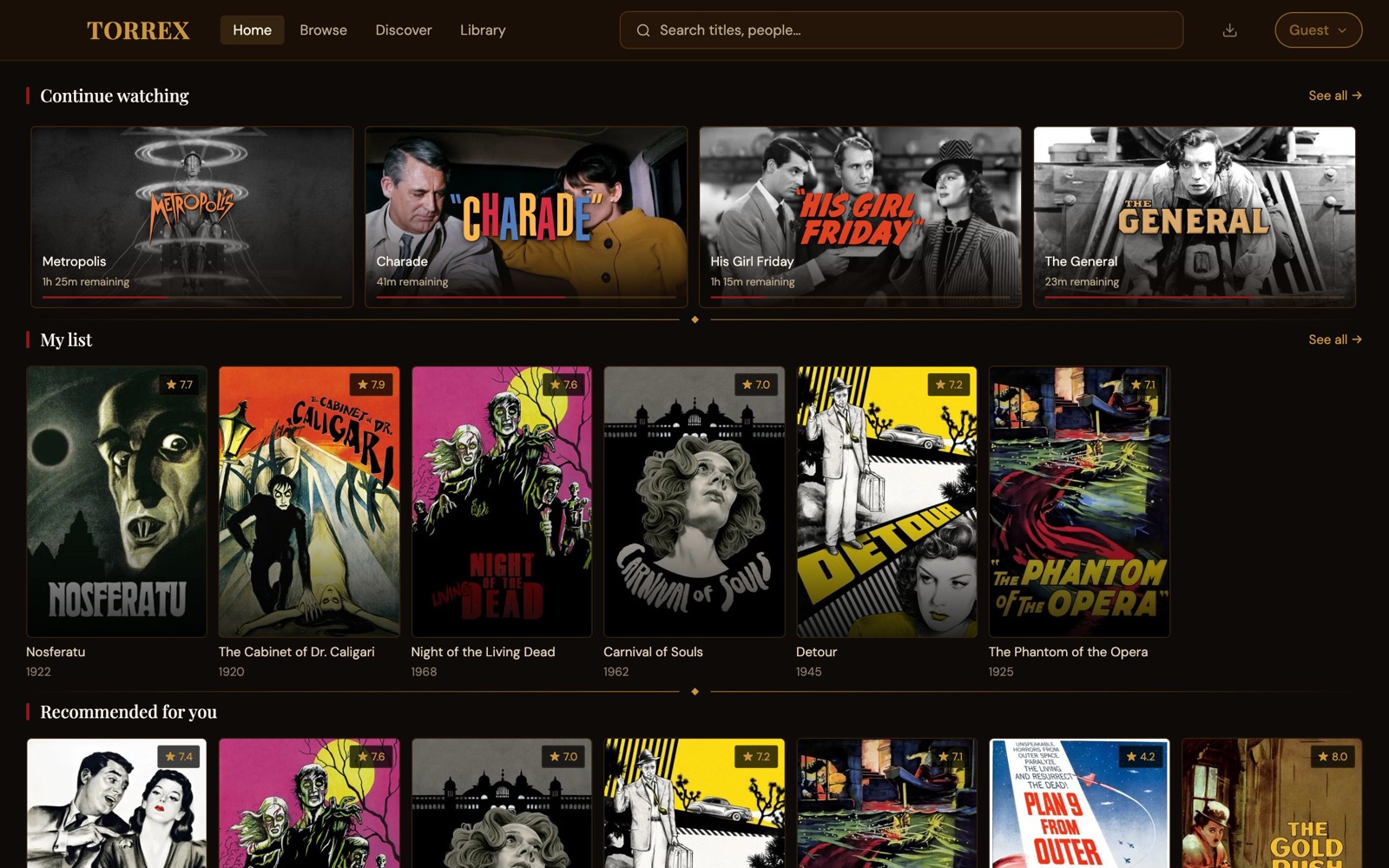
Browse movies and shows, watch trailers, keep a watchlist, and pick up where you left off on any device. All of that works the moment you open it, with or without an account.
Step 2 of 4
The video comes
from addons.
Torrex doesn't host or provide any video. Addons find it. They're small online services, made and run by people outside Torrex, and you pick which ones Torrex uses. The kind that finds video is a stream addon, and you need at least one.
A web browser doesn't come with websites. Torrex doesn't come with video.
 The player
Step 3 of 4
Open a title,
your addons find sources.
When you open a movie or show, Torrex asks each of your stream addons for it, and the sources they find fill the list. Press Play and Torrex works through them until one plays, or pick one from the list yourself. With no stream addon there's nobody to ask, so the list stays empty and nothing plays.
We recommend more than one. If one has nothing for a title, another often does.
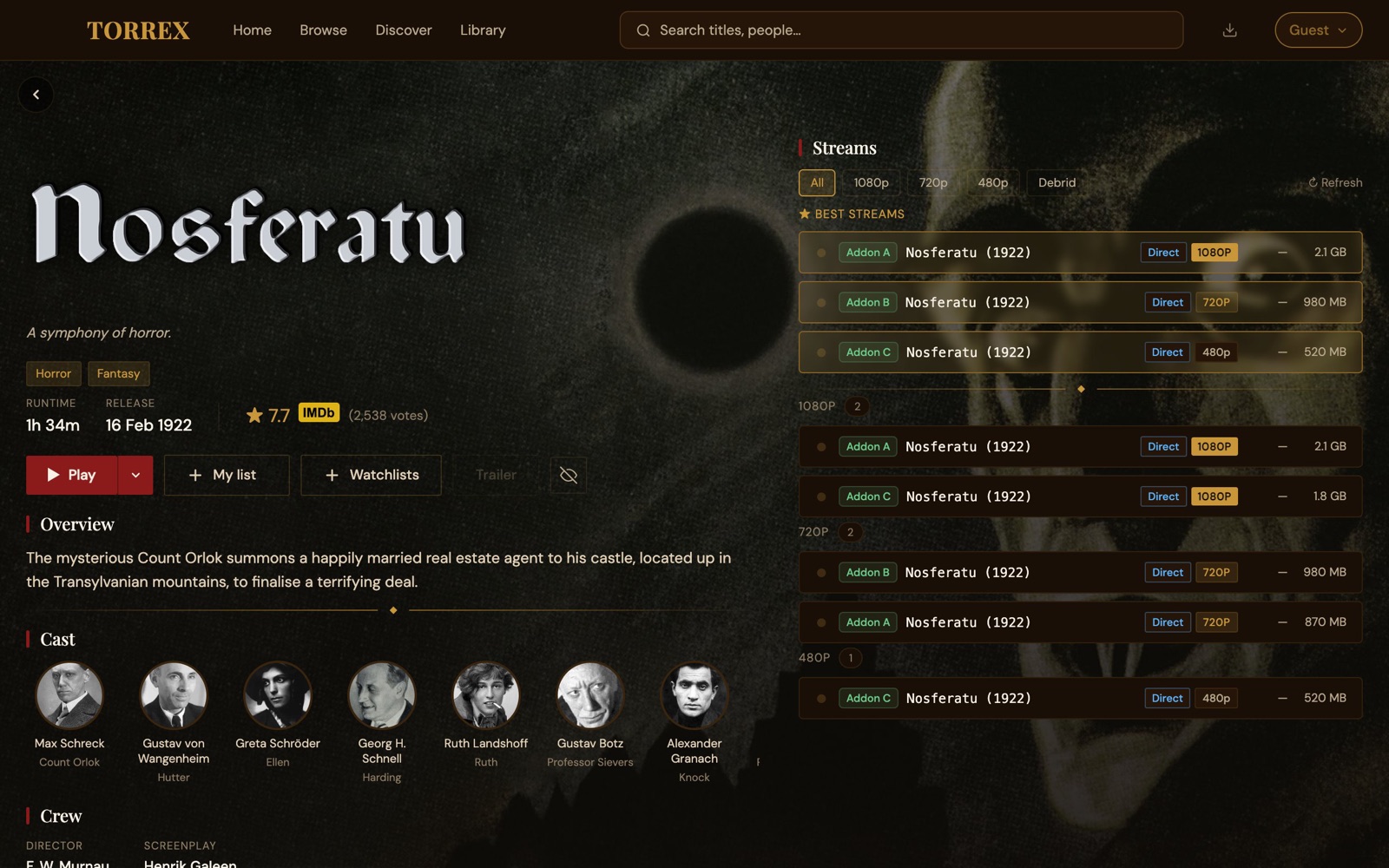
- 1Your addons' sources, found when you opened it
- 2Play tries them until one plays
- 3Or pick one yourself
Step 4 of 4
You choose
your addons.
They come from a community catalog, run by the Stremio community, not by Torrex. Open one and press Install, and Torrex tells you whether you got a stream addon, the kind that finds video.
Now you
Add your first stream addon
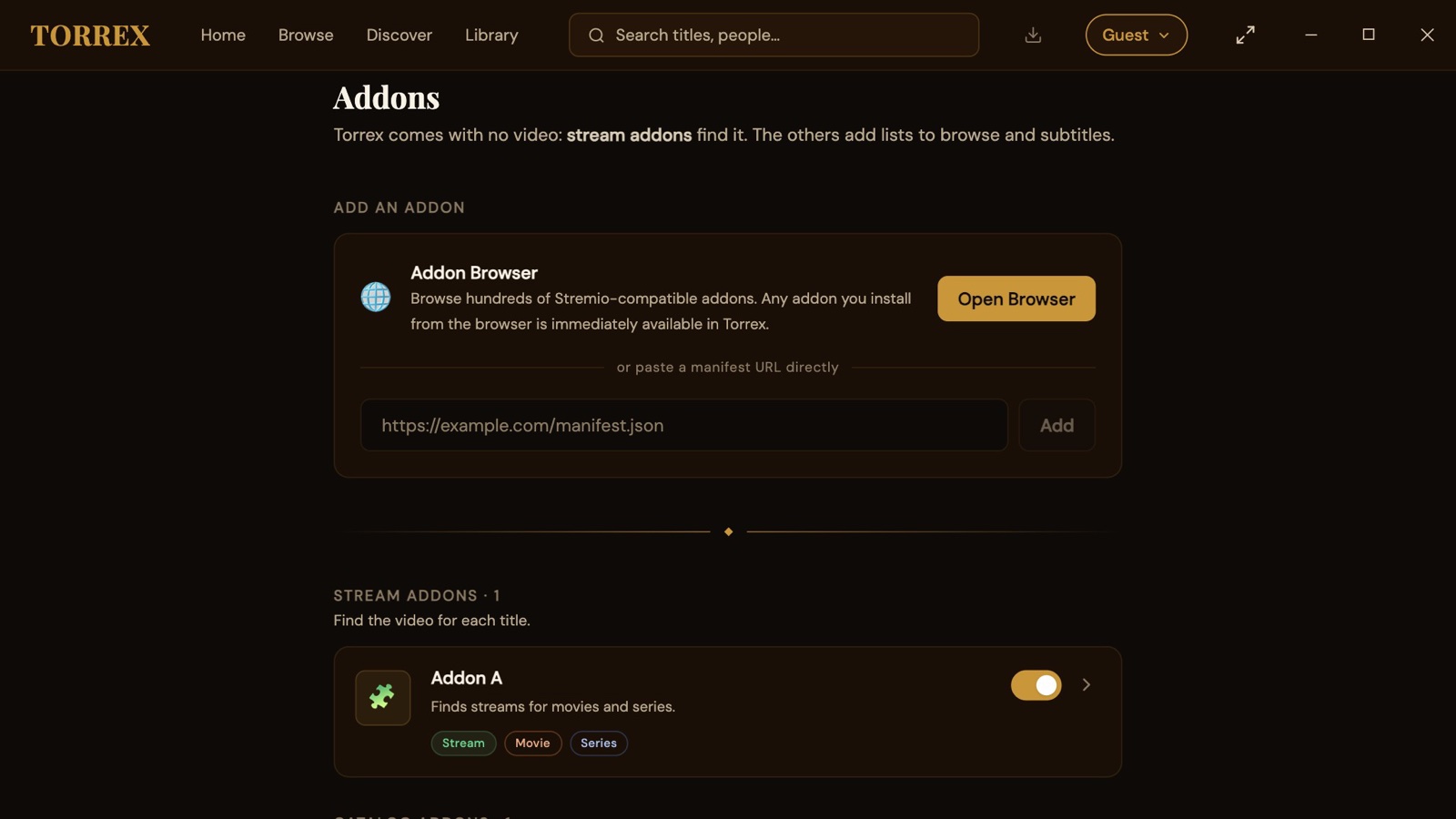
Pick your device. Torrex opens the catalog for you, so there's nothing to look up.
- 1
Open
Addons
It's in the menu at the top right, under your name.
- 2
Press
Open Browser
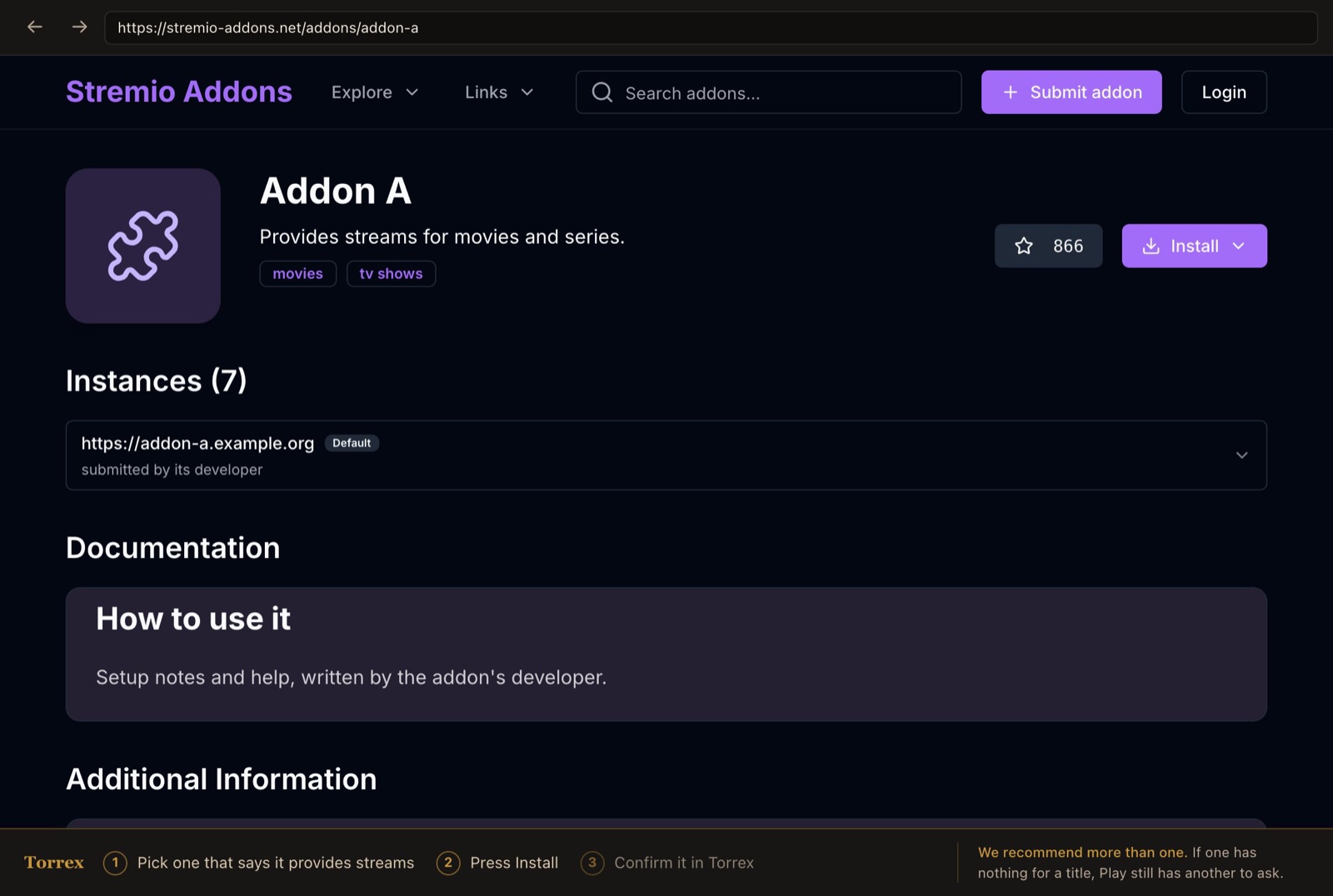
The community catalog opens in a Torrex window, with a bar along the bottom that walks you through it.
- 3
Open one that says it provides streams, and press
Install
Some need setting up first. Their page walks you through it.
- 4
Check it in Torrex, and press
Install
againTorrex shows what the addon does before adding it. Look for the green Stream tag: that's the kind that finds video, and it's listed under Stream addons once it's in. If it only says Catalog or Subtitles, keep it if you like, and pick another.
Then open any title and press Play.
- 1
Open
Settings
, thenAdd-ons
Settings is the last tab along the bottom.
- 2
Tap
Browse community add-ons
The catalog opens in your phone's browser.
- 3
Open one that says it provides streams, and tap
Install
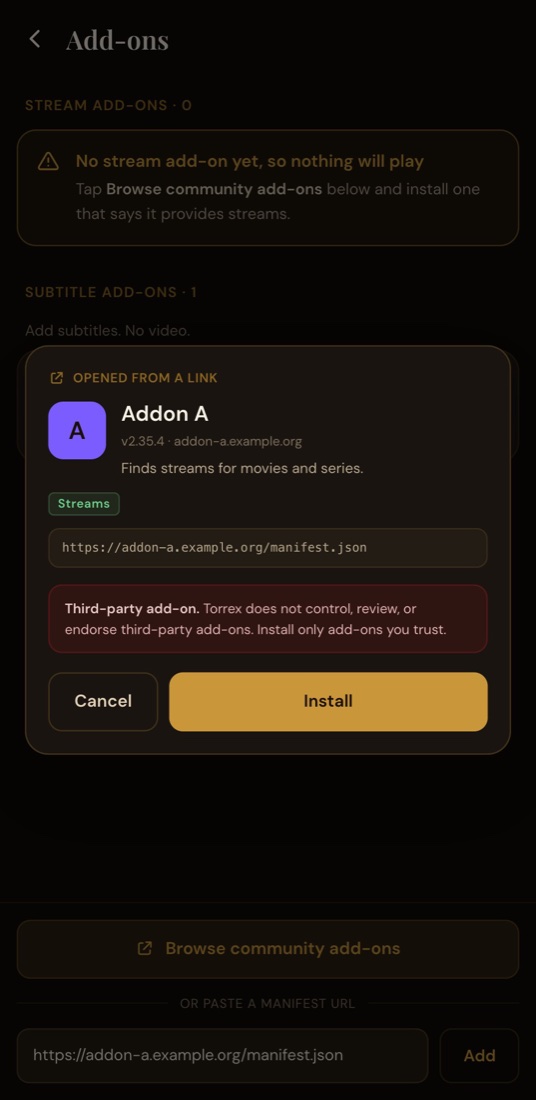
Your phone hands it straight back to Torrex. If it asks which app to use, choose Torrex.
- 4
Check it in Torrex, and tap
Install
againTorrex shows what the addon does before adding it. Look for Streams. Once it's in, it's listed under Stream add-ons, and the warning there goes away.
Then open any title and tap Play.
- 1
Open
Addons
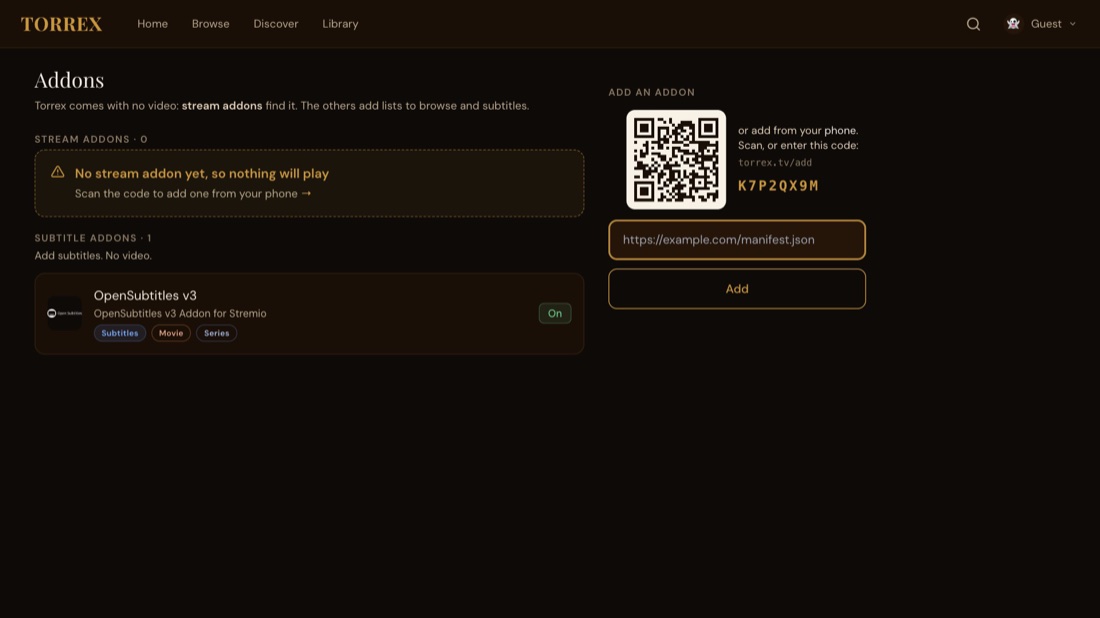
on the TVIt's in Settings, and under Manage addons in your profile menu. A code appears on the right.
- 2
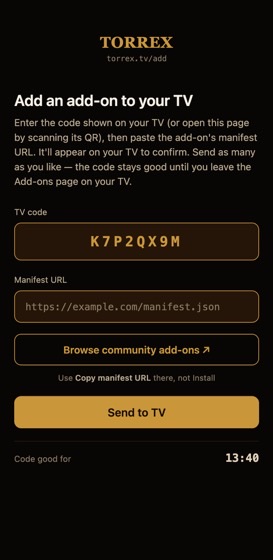
Scan the code with your phone's camera
It opens torrex.tv/add, already paired to your TV. There's nothing to install or sign in to on the phone.
- 3
Tap
Browse community add-ons
, and send one to the TVOpen one that says it provides streams, copy its link with Copy manifest URL (not Install), paste it, and tap Send to TV.
- 4
Press
Install
on the TVThe addon pops up on the TV screen. Look for the green Stream tag: that's the kind that finds video. Once installed, it's listed under Stream addons.
No phone to hand? Type the addon's link with the remote, in the box under the code.
Good to know
What people ask next
Play says there's nothing to play
Either no stream addon is installed and switched on, or none of yours has that title. Adding a second one usually fixes the second case.
An addon asks me to set it up first
Some need a few settings, or an account with another service, before they work. Their page in the catalog walks you through it, and you press Install at the end.
Is the catalog part of Torrex?
No. It's run by the Stremio community. Torrex doesn't make, host, check or recommend any addon. You choose what to install, and you're responsible for how you use it.
Do I need an addon for subtitles?
No, one comes included. There are more in the catalog if you want other sources of subtitles.
What works without any addon?
Everything except playback: browsing, trailers, your list and collections, the calendar, and sync between your devices.
Do my addons follow me to other devices?
Each device keeps its own list, so add a stream addon on each one you watch on. On a TV, your phone does the typing.
That's all there is. Go watch something.
Already have Torrex? Open Addons and follow the steps above.